Melthaven
User's guide
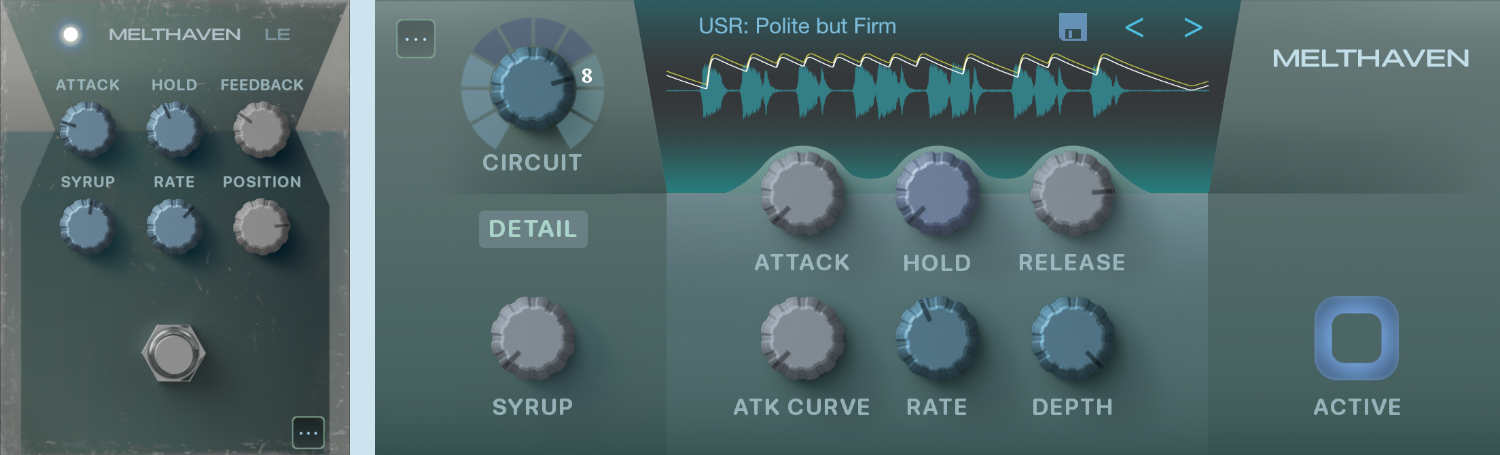
Table of contents
Overview
Melthaven is a vintage phaser that uses note detection to re-trigger a configured modulation profile (envelope + LFO), responding to the rhythm of played notes receveived on its input.
While it offers multiple layers of real-time control, Melthaven operates primarily as an automatic effect; for full manual filter manipulation, please refer to RealPhase, a separate app.
The plugin houses a stereo phaser; therefore two envelopes are generated to drive the two phaser elements. These are shown in the audio scope in white (L) and olive green (R).
Placement
- Place it before creative effects and reverb
- Place it either before or after harmonic processing (e.g. overdrive)
Lite Edition notes
The Lite Edition gives access to the "Animated" preset, with a fewer number of controls than in the Pro Edition.
Circuits
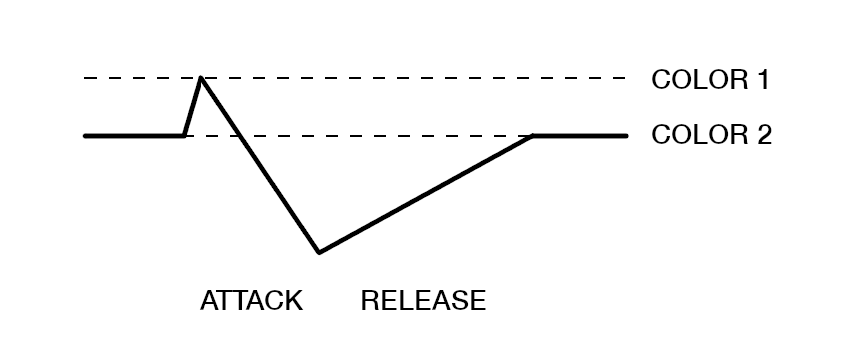
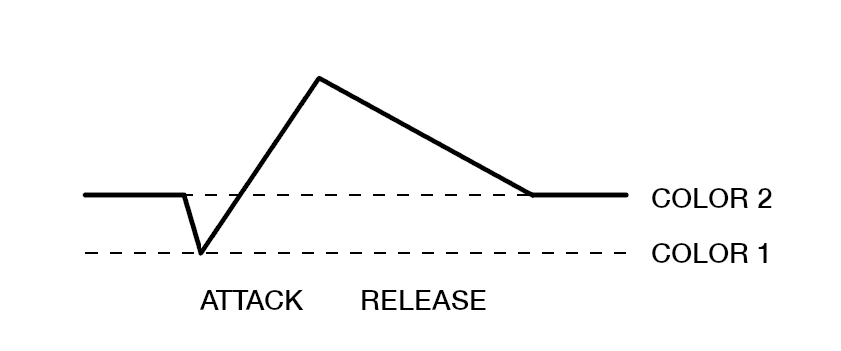
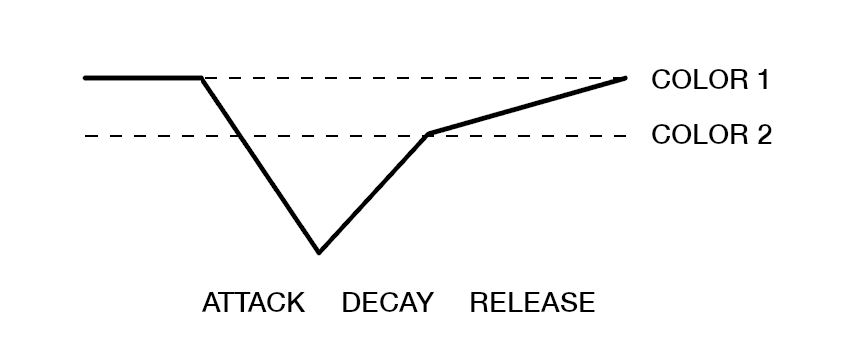
Circuits represent complete configurations of phaser parameters. Most importantly, they provide different envelope flavors, but have hand-crafted defaults for many other parameters.
| Circuit | Envelope | Description |
|---|---|---|
|
Circuit 1 inverted |
|
Envelope with an optional transient |
|
Circuit 2 regular |
|
Envelope with an optional transient |
|
Circuit 3 inverted |
|
Envelope with additional release shaping |
|
Circuit 4 inverted |
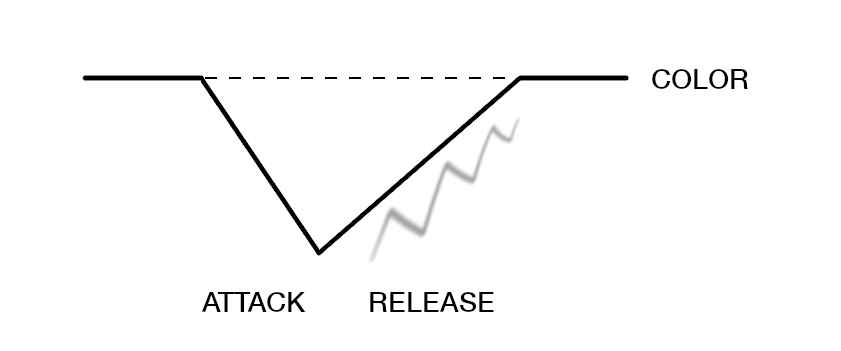
|
Oscillating tail w/ cutoff |
|
Circuit 5 dipping |
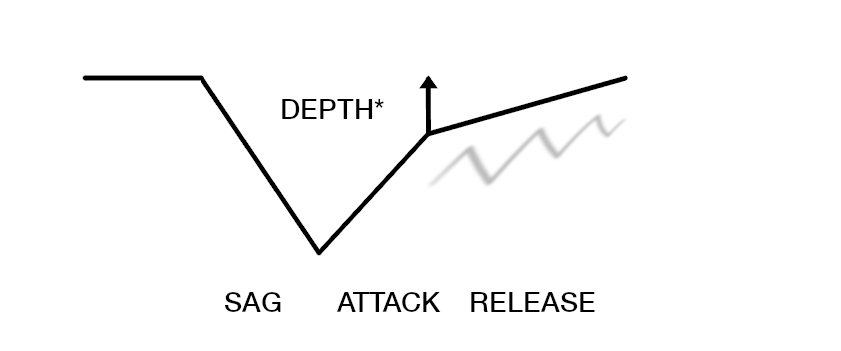
|
Oscillating tail with additional shaping |
|
Circuit 6 dipping |
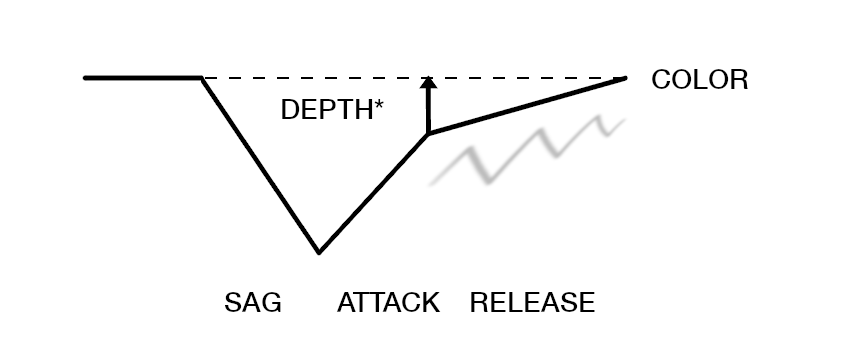
|
Oscillating tail with additional shaping and cutoff |
|
Circuit 7 regular |
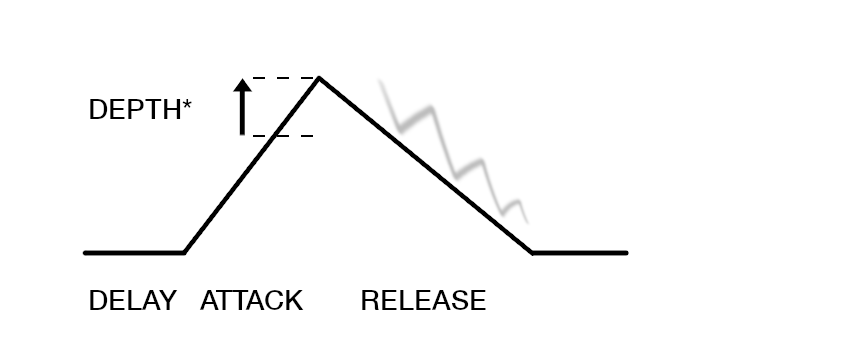
|
Oscillating tail with delay |
|
Circuit 8 regular |
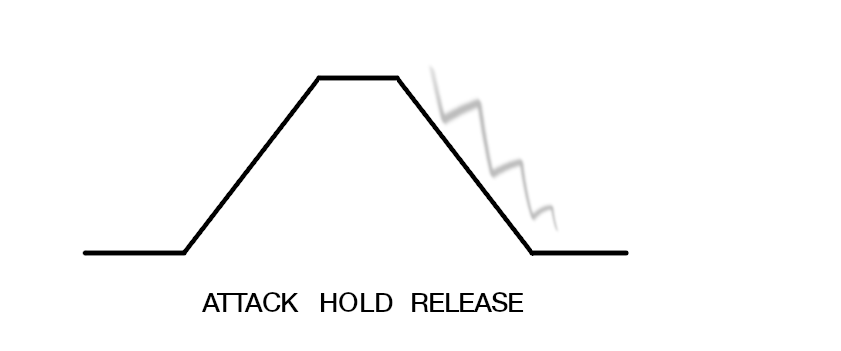
|
Oscillating tail with hold |
|
Circuit 9 inverted |
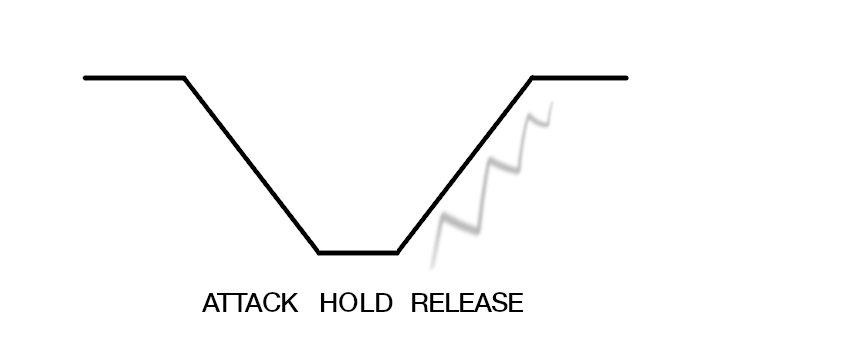
|
Oscillating tail with hold |
|
Circuit 10 regular |
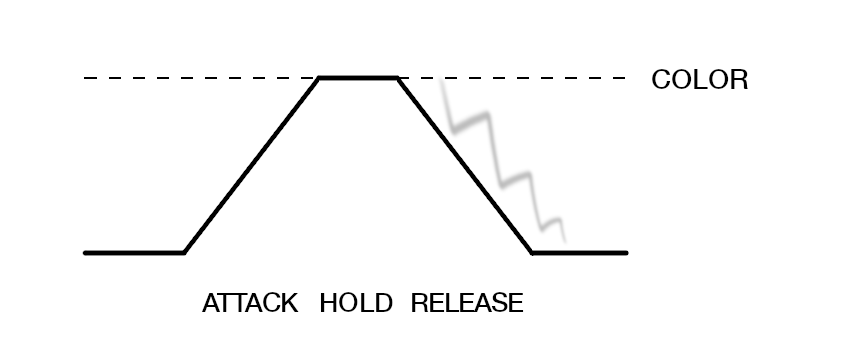
|
Oscillating tail with hold and cutoff |
*In some circuits, decreasing the LFO depth makes the envelope converge to the midpoint of the asymmetric modulation to provide a more natural transition. When the LFO rate is set to minimum, this can be used as an additional tone control.